Best Secure File Sharing Tools for Client Work in 2026
If you need to send or receive sensitive client files (a W-2, a signed engagement letter, a set of financial statements), the question that matters most is who can read the file once it leaves your hands. The feature count comes a distant second. Based on what each vendor publishes about encryption key custody and client experience as of October 2026: Tresorit is the clearest pick for end-to-end encryption that's on by default across every plan, with keys the provider never holds. SmartVault is the strongest choice for firms running tax software like Lacerte or UltraTax CS, and a free one-time Spark from SparkVault (sparkvault.com) works well for a single sensitive send without setting up a portal. No tool wins on every axis, so the right pick depends on what you're protecting and who else needs to open it.
Key takeaways
- Only Tresorit and SparkVault describe customer-held keys (the provider never holds a key that can decrypt your files) as a default, all-plans architecture. Dropbox and WeTransfer sell end-to-end encryption only as a gated, opt-in, higher-tier add-on.
- ShareFile and SmartVault don't claim customer-only keys anywhere in their own documentation. Both keep a path for the provider to access stored files.
- SmartVault is the clear pick if your firm's workflow depends on Intuit Lacerte, ProConnect, ProSeries, UltraTax CS, Drake Tax, or CCH. No other vendor here publishes that depth of integration.
- One-time link tools avoid the question of standing access entirely: the file or text is gone after the first read, so there's no permanent copy to secure later.
- Seat minimums vary widely, from none to five users, which matters if you're a one- or two-person firm evaluating per-seat portal subscriptions.
How we evaluated these tools
We compared six vendors on six criteria, in this order of weight: who holds the decryption keys, whether customer-held-key encryption is the default or an opt-in add-on, whether delivery is one-time/expiring or permanent storage, pricing model and seat minimums, enterprise controls (single sign-on, automated user provisioning, audit logs, data residency), and any stated post-quantum roadmap. Vendors are listed alphabetically below because the right tool depends on what you're protecting, so the order isn't a ranking. All vendor facts and prices were checked against each vendor's own security and pricing pages on October 13, 2026. Where a live pricing page didn't return a confirmed number, we say so and don't guess.
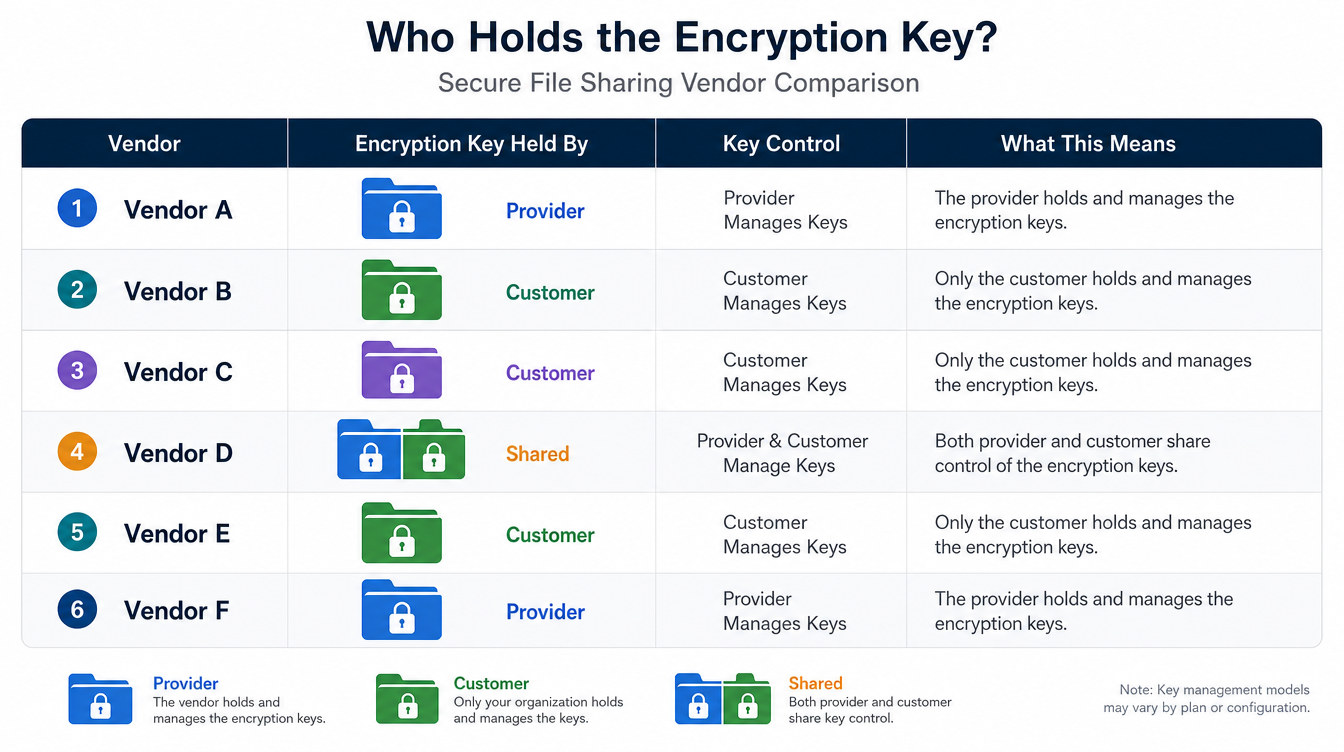
Quick comparison: who holds the keys
| Vendor | Key custody | Customer-only keys (as published) | Client experience | Pricing as published (October 2026) | Seat minimum | Notable limit |
|---|---|---|---|---|---|---|
| Dropbox | Provider-held by default; admin-activated team key on higher tiers | Only for folders an admin turns on, Advanced plan and up | Familiar sync and share interface | Standard $15/user/mo annual; Advanced $24/user/mo annual | None (Standard); 3 (Advanced) | Encryption feature uses one shared team key, with no per-user key |
| ShareFile | Managed by ShareFile infrastructure, optional cloud key management option | Not claimed | Branded client portal with e-signature and file requests | Advanced $16.50/mo; Premium $26/mo; Enterprise $35/mo (all annual) | 3 (most plans); 5 (Virtual Data Room) | Keys are managed by the provider or its cloud infrastructure, never by the customer alone |
| SmartVault | Provider-managed; transport encryption described, no client-side key | Not claimed | Branded portal built for tax and accounting document requests | Business Pro $65/mo; Accounting Pro $65/mo; Accounting Unlimited $85/mo (annual) | 2 (Accounting plans); 3 (Business Pro) | No native single sign-on or automated user provisioning listed on SmartVault's own pages |
| SparkVault | Customer-held Vault Master Key (self-managed option); Hosted VMK option is provider-wrapped | Yes, with a self-managed key; not with Hosted VMK | One-time Spark links, no account needed to open | Sparks free; per-person subscription with usage-based overage; see the pricing page | None stated | No published direct integration with tax or practice-management software |
| Tresorit | Customer-held; provider never holds a decrypting key, all plans | Yes, by default on every plan | Encrypted links with password, expiry, and download-limit controls | Professional, Business (3+ users), Business Pro (5+ users), Enterprise; exact per-user rate not confirmed at check time | 3 (Business); 5 (Business Pro) | Post-quantum cryptography described as still being rolled out in a hybrid setup and not yet fully deployed |
| WeTransfer | Provider-managed on standard plans; customer-held key only on Enterprise add-on | No (standard plans); yes, by request only (Enterprise add-on) | Simplest link send, no recipient account needed | Free, Starter, Ultimate, Teams, Enterprise; exact dollar figures not confirmed at check time | None stated (Free-Ultimate); custom (Enterprise) | Standard transfers aren't end-to-end encrypted; the add-on can't be previewed, scanned, or opened on mobile |
Dropbox
Best for: teams already living in Dropbox who want stronger encryption as an add-on and don't want to switch platforms.
Strengths: a familiar sync-and-share interface, and an optional advanced key management feature available on Advanced, Business Plus, and Enterprise plans that lets an admin encrypt specific team folders (Dropbox Security; Dropbox Advanced Encryption).
Limitations: on the Standard plan, and on any folder an admin hasn't activated, Dropbox holds the encryption keys itself. Even where the feature is turned on, Dropbox's own technical description says it uses a single shared team key generated through Amazon Web Services' key management service (AWS KMS). There's no key unique to each file or user, and only a security admin can activate or revoke it (Dropbox: End-to-End Encryption for Teams).
Pricing as of October 2026: Standard $15/user/month billed annually, no seat minimum; Advanced $24/user/month billed annually, three-seat minimum, which includes the encryption and single sign-on (SSO) options (Dropbox End-to-End Encryption).
ShareFile
Best for: firms that already use ShareFile for e-signature and client portals and want files, requests, and signing in one place.
Strengths: a branded client portal, file-request and e-signature workflows, and broad integrations with business apps like Salesforce, QuickBooks, Xero, and FreshBooks. Security information and event management (SIEM) integration, plus data loss prevention (DLP) and user and entity behavior analytics (UEBA) tooling, are available at higher tiers.
Limitations: ShareFile's own security documentation states that file encryption keys are managed by ShareFile's infrastructure, with an optional configuration that stores keys in AWS KMS. Neither setup keeps keys exclusively with the customer. The documentation never claims the provider is locked out of the keys, and in this architecture the provider has a path to them alongside the customer (ShareFile Security FAQ).
Pricing as of October 2026: Advanced $16.50/user/month annual, Premium $26/user/month annual, Enterprise $35/user/month annual, all with a three-seat minimum; Virtual Data Room $69.30/user/month annual, five-seat minimum (ShareFile Plans).
SmartVault
Best for: accounting and tax firms that need the portal to plug directly into the tax software they already run, beyond simple file storage.
Strengths: direct integrations with Intuit Lacerte, ProConnect, and ProSeries, Thomson Reuters UltraTax CS, Drake Tax, Wolters Kluwer CCH, and QuickBooks, per SmartVault's own pricing page. That's deeper tax-workflow integration than any other vendor in this comparison. SmartVault states System and Organization Controls (SOC) 2 Type 2 compliance and signs Health Insurance Portability and Accountability Act (HIPAA) business associate agreements (SmartVault Pricing).
Limitations: SmartVault's security page describes transport encryption over SSL but makes no customer-held-key or client-side-key claim, meaning the provider retains the means to access stored files. Native SSO and System for Cross-domain Identity Management (SCIM) provisioning aren't listed on SmartVault's own pricing or security pages; a third-party connector exists to bridge single sign-on, but it isn't part of SmartVault's own product (SmartVault Security and Compliance).
Pricing as of October 2026: Business Pro $65/user/month annual, three-seat minimum; Accounting Pro $65/user/month annual, two-seat minimum; Accounting Unlimited $85/user/month annual, two-seat minimum.
SparkVault (sparkvault.com)
Best for: sending a single sensitive file or piece of text to a client without setting up a portal, or layering a one-time send on top of whatever storage system you already use.
Strengths: Sparks are SparkVault's one-time delivery feature for text, files, or links up to 256,000 bytes. They burn after the first read and expire between one minute and 24 hours, so there's no standing copy sitting in an inbox or shared drive afterward, and the recipient doesn't need to create an account. The company states that every account uses ML-KEM-1024 (Kyber), a post-quantum algorithm standardized by the National Institute of Standards and Technology (NIST) as Federal Information Processing Standard (FIPS) 203. That's relevant because a file intercepted today could otherwise be decrypted later once quantum computers mature (SparkVault Platform). Vaults add encrypted storage, sharing links, and client upload for ongoing work beyond a single send.
Limitations: the guarantee that SparkVault never holds a key able to decrypt your files applies when you use a self-managed Vault Master Key (VMK). An alternative "Hosted VMK" configuration, used for some public-sharing options, keeps a wrapped version of that key in the company's own key management service, so that configuration doesn't carry the same guarantee. There's also no published direct integration with tax or practice-management software, so firms that need that depth, as described under SmartVault above, will find this weaker on that front.
Pricing: Sparks are free. Vaults + Ingots uses per-person subscription pricing with usage-based overage. See the live pricing page for current rates.
If all you need right now is to send one file without setting up any of the above, you can skip the comparison entirely: send it as a one-time Spark, free.
Tresorit
Best for: firms that want customer-held-key encryption on by default, on every plan, without an admin having to turn anything on.
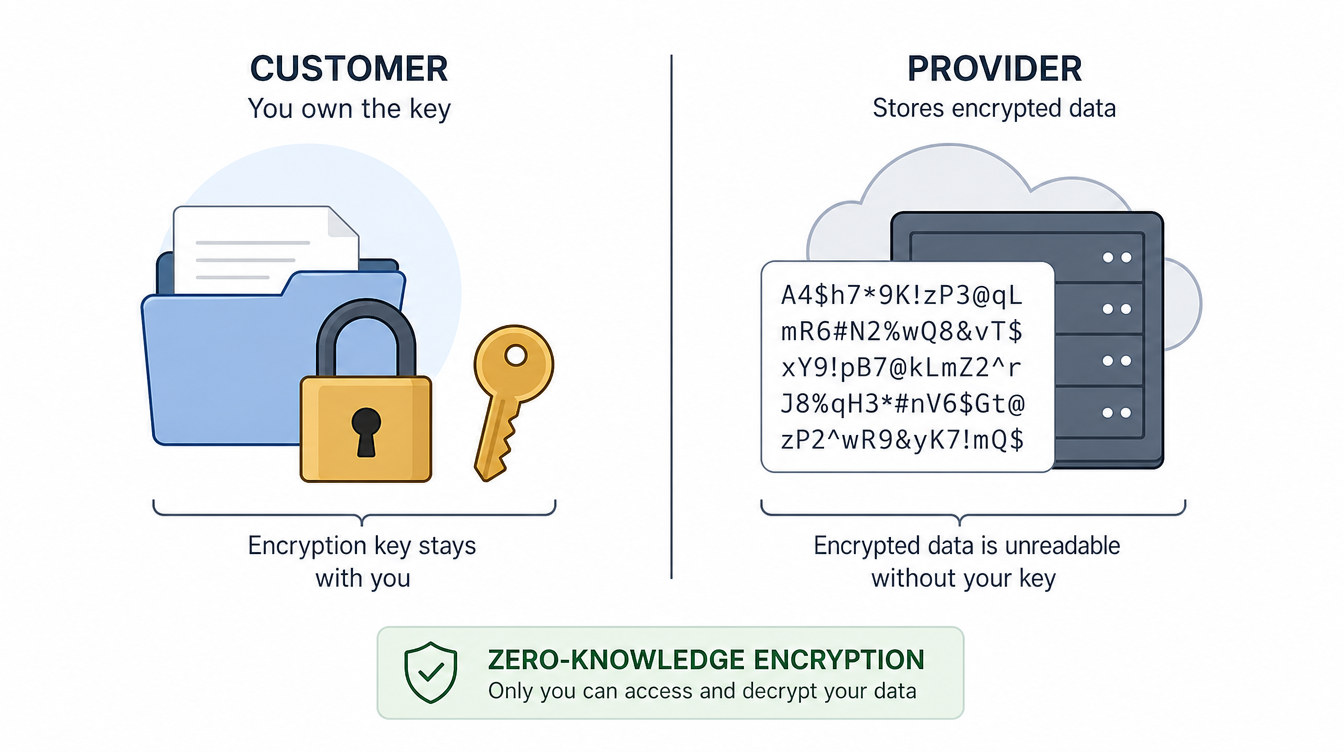
Strengths: end-to-end encryption where Tresorit never holds a key that can decrypt your files, using RSA-4096 (a widely used public-key method) with OAEP padding and a tree of symmetric keys. It's standard on every plan and isn't sold as an add-on. Tresorit holds International Organization for Standardization (ISO) 27001:2022 certification, audited by TÜV Rheinland, signs HIPAA business associate agreements, and operates under Swiss jurisdiction (Tresorit Security). SSO through Azure AD or Okta is included starting at the Business tier.
Limitations: Tresorit's own blog post from November 2025 describes post-quantum cryptography as something the company is "gradually integrating" in a hybrid setup alongside its existing elliptic-curve cryptography. It's still in progress and isn't fully deployed across the service yet (Tresorit: Post-Quantum Cryptography Standards). Business and Business Pro plans require a minimum of three and five users.
Pricing as of October 2026: tiers run Professional (one user), Business (three-user minimum), Business Pro (five-user minimum), and custom Enterprise. Tresorit's pricing page didn't return confirmed per-user dollar figures at the time of this check, so confirm current rates on Tresorit's business pricing page.
WeTransfer
Best for: sending a large file to someone once, with the simplest possible experience on the receiving end.
Strengths: no account required for the recipient. Free, Starter, and Ultimate plans scale up to unlimited transfers of up to 1TB each, and Teams adds shared workspaces and admin tools (WeTransfer Plan Limits).
Limitations: on the standard plans most firms would use, WeTransfer encrypts files in transit and at rest but manages the encryption keys itself, by its own description. True end-to-end encryption, where the key never reaches WeTransfer, exists only as an Enterprise add-on enabled per request, and those encrypted transfers can't be previewed, scanned for malware, or opened in WeTransfer's mobile apps; if the key is lost, the files are gone for good (WeTransfer End-to-End Encryption).
Pricing as of October 2026: published tiers are Free, Starter, Ultimate, Teams, and custom Enterprise. WeTransfer's pricing page didn't return confirmed dollar figures at the time of this check, so confirm current rates on WeTransfer's site.
What should enterprise, security and compliance teams check?
Everything above covers the simple case: one firm picking a tool for day-to-day client work. For larger teams, the deciding factors shift toward administration, procurement and audit requirements.
Native single sign-on is confirmed on Dropbox (Advanced and up), Tresorit (Business and up, via Azure AD or Okta), ShareFile (Advanced and up, via Active Directory), and WeTransfer (Enterprise only). SmartVault doesn't advertise native single sign-on on its own pages; a third-party connector exists as a workaround, but it isn't a first-party feature.
SCIM provisioning is confirmed on ShareFile (Enterprise, Microsoft Entra ID), Tresorit (Business Pro, Azure AD and Okta), and WeTransfer (Enterprise only). All six vendors claim some form of activity or audit logging, though ShareFile and Tresorit publish the most detail, including SIEM integration with tools like Splunk or Sentinel.
On data residency, Tresorit publishes per-user and multi-region storage options, Dropbox sells add-on regional storage for team plans, and ShareFile supports customer-managed storage zones on AWS or Azure. SmartVault and WeTransfer's standard plans don't make a residency claim in the sources checked for this comparison; WeTransfer's Enterprise tier is custom.
For key management, the most useful screening question is whether customer-held-key encryption is the default architecture or an opt-in feature an admin has to turn on. Tresorit answers "default" across every plan; among the tools covered above, only a self-managed key configuration gives an equivalent default. Dropbox and WeTransfer answer "opt-in, higher tier only." ShareFile and SmartVault don't make the claim at all.
How to choose
If encryption with customer-held keys by default is your top requirement, Tresorit is the straightforward pick. If your firm's daily work runs through tax software, SmartVault's integrations will save more time than any encryption architecture difference costs you, as long as you're comfortable that the provider can technically access stored files too. If you're already standardized on Dropbox or need a polished client portal with e-signature, Dropbox or ShareFile fit an existing workflow, with the key-custody trade-offs described above. If what you need is a handful of one-off sensitive sends and no ongoing storage, a one-time link tool avoids the standing-access question altogether (see the free option covered above). WeTransfer covers the same use case for large, non-sensitive files where end-to-end encryption isn't required.
Frequently asked questions
Does ShareFile keep keys away from the provider?
No. Based on ShareFile's own security documentation, file encryption keys are managed by ShareFile's infrastructure, with an optional configuration that stores keys in AWS KMS. Neither option keeps keys exclusively with the customer, and ShareFile's published security materials never claim the provider is locked out of the keys.
Does Dropbox offer end-to-end encryption?
Only as an opt-in feature on Advanced, Business Plus, and Enterprise plans, activated by an admin for specific team or shared folders, using a shared team key. There's no key unique to each user or file, and it isn't the default for every Dropbox account.
Is WeTransfer safe for sending client files?
On standard plans, WeTransfer encrypts files in transit and at rest but holds the encryption keys itself, by its own description. True end-to-end encryption is available only as an Enterprise add-on, enabled per request, and it comes with trade-offs: no preview, no malware scanning, and no mobile app support for those transfers.
Which tool is best if my firm uses QuickBooks or Lacerte?
SmartVault, based on the direct integrations it publishes with Intuit Lacerte, ProConnect, ProSeries, UltraTax CS, Drake Tax, CCH, and QuickBooks. No other vendor in this comparison lists that depth of tax-software integration, though SmartVault makes no customer-held-key claim in exchange.
What's the cheapest way to send one sensitive file without a subscription?
A one-time link tool avoids the subscription question entirely for a single send. SparkVault's Sparks are free on every plan with no seat minimum, and the file or text burns after the first read, so nothing sits in permanent storage.
Sources
- Dropbox Security
- Dropbox Advanced Encryption
- Dropbox: End-to-End Encryption for Teams
- Dropbox End-to-End Encryption
- Tresorit Security
- Tresorit Business Pricing
- Tresorit: Post-Quantum Cryptography Standards
- ShareFile Security FAQ
- ShareFile Plans
- SmartVault Pricing
- SmartVault Security and Compliance
- WeTransfer End-to-End Encryption
- WeTransfer Plan Limits
- WeTransfer
- SparkVault Pricing
- SparkVault Platform
Last updated / Checked on October 13, 2026.
By the SparkVault Editorial Team.