Dropbox Alternatives for Sending Sensitive Client Documents
Dropbox suits teams that co-edit documents and connect many apps, and several alternatives give you tighter control when a file holds a Social Security number, a bank detail or an ID scan. Tresorit fits encrypted storage where the vendor says it cannot access your keys, and it has file requests for client uploads. For one sensitive item that should vanish after it is read, send a one-time Spark from SparkVault (sparkvault.com) or use any expiring one-time link tool your company already approves.
Key takeaways
- Dropbox's help center says it does not offer client-side encryption or customer-created private keys. Advanced, Business Plus and Enterprise add advanced key management.
- Link expiry and passwords depend on plan and account type at Dropbox, Google Drive, OneDrive and WeTransfer. Check your plan before you rely on them.
- Tresorit states it cannot access your files and keys. SparkVault Vaults need three independent keys to open.
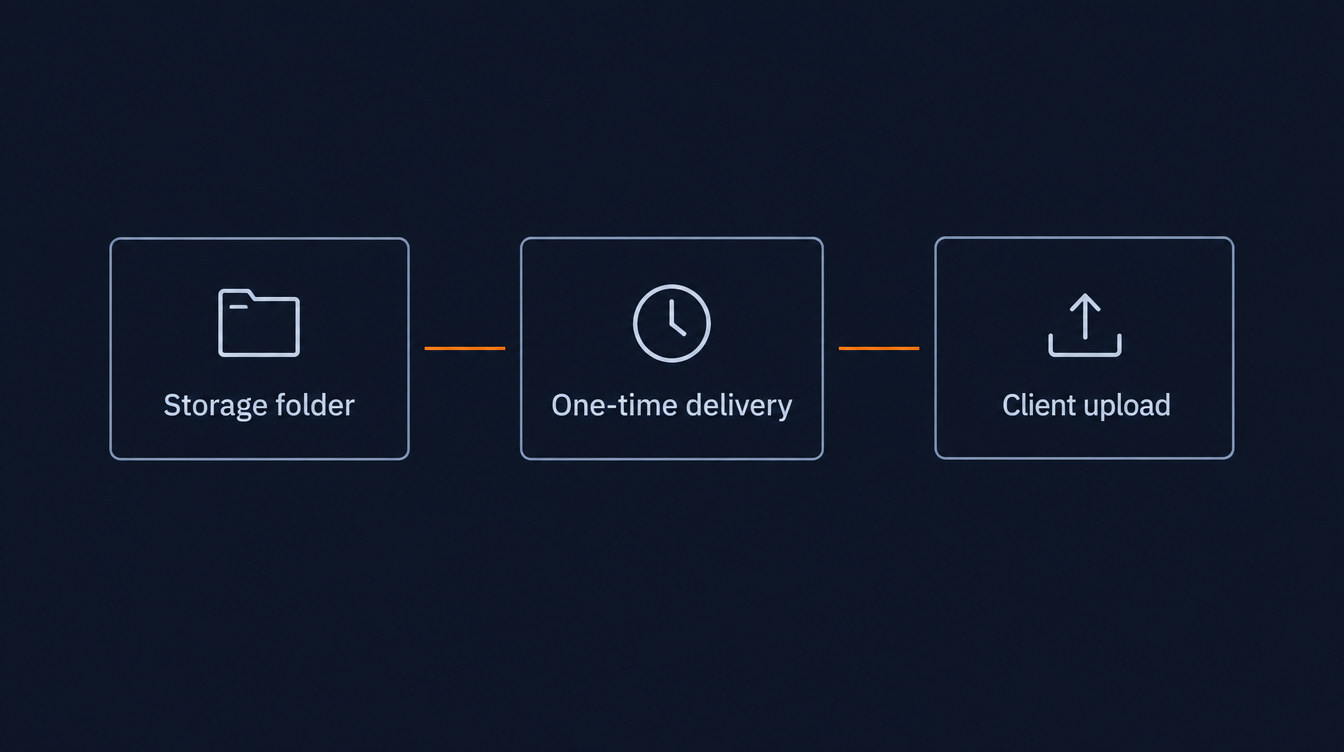
- Storage folders and one-time delivery do different jobs, and some firms use both.
- Revoking a link stops future access through that link. It cannot recall a file someone already downloaded.
What separates these tools for sensitive documents?
Who holds the keys comes first, followed by how easily a client can open or send a file. The comparison below uses these criteria for every tool:
- Who holds the encryption keys, as the vendor describes it.
- Link expiry, password and download controls, and which plans include them.
- Recipient experience, including whether the recipient needs an account.
- Whether the tool stores files, delivers them once, or does both.
- Plan structure and published price.
- Post-quantum status, where the vendor has published one.
Vendor statements are attributed to the vendor. Where a vendor page shows no confirmable price, the section describes the plan structure and points to the pricing page.
Which Dropbox alternative fits which job?
| Tool | Who holds the keys | Link controls | Recipient experience | Pricing model | Notable limits |
|---|---|---|---|---|---|
| Dropbox | No client-side encryption or customer-created keys. Advanced key management on Advanced, Business Plus and Enterprise. | Passwords, expiry and download blocking on listed paid plans. Expiry is by day. | Recipients cannot see the expiry date. Account requirement not stated on the pages reviewed. | Per plan, from free to Enterprise (contact sales) | Plus is not named on the link-controls help page |
| Tresorit | Vendor states end-to-end encryption and that it cannot access your files and keys | Expiry, password, open limit, email requirement, download and print blocking | File requests need no Tresorit account | Per user, with minimum seats on higher plans. See its pricing page. | Links up to 5 GB. Some controls on Business Pro only. |
| Box | KeySafe adds customer-managed keys through AWS KMS or GCP Cloud HSM KMS | Password and expiry on shared links. Admin default expiry. | Box support says recipients need no Box account | Per user. See Box's pricing page. | KeySafe needs a Box-approved hosting partner support contract |
| Google Drive | Client-side encryption with an external key service on Enterprise Plus and select editions | Expiry for named people. Download, print and copy blocking for viewers. | Anyone-with-link needs no Google sign-in | Per user per month, Starter to Enterprise | No link password setting documented |
| OneDrive | Not covered here | Expiry and password on Anyone links for Microsoft 365 subscribers | Admins can disable Anyone links | See Microsoft's plans page | Links break when files are moved |
| WeTransfer | Key custody not described on the help page reviewed | Custom expiry and passwords on Ultimate | Branded transfer pages on Ultimate | Free, Starter, Ultimate, Teams, Enterprise | Free: 10 transfers or 3 GB per rolling 30 days |
| SparkVault | Triple Zero-Trust Vaults: three independent keys, one with SparkVault, one in a trusted provider's secure hardware, one with you | Sparks burn on first read. Vault links can be public, verified or invite-only. | Invite-only Sparks need the recipient to verify by email or phone | Sparks free. Vaults use per-person subscriptions with usage-based overage. | Sparks hold up to 256,000 bytes for 1 minute to 24 hours |
Dropbox: when is it the better choice?
Best for: teams that edit documents together and connect many other apps.
Strengths
- The plans page lists API access for security, productivity and data-transport partners, PDF editing, signature requests (3 per month), file locking and Replay.
- Team plans keep restore windows from 180 days to 1 year.
- Admins can set a default expiry and require passwords for new links shared outside the team. The security page describes an external content reporting dashboard.
- Dropbox publishes SOC (System and Organization Controls) 1, 2 and 3 reports and lists support for GDPR (General Data Protection Regulation) and HIPAA (Health Insurance Portability and Accountability Act). Data lives in the US by default, with Australia, the EU, Japan and the UK available to eligible team plans.
Limitations
- Dropbox's how security works page says: "Dropbox doesn't offer client-side encryption. Dropbox also doesn't support the creation of your own private keys." The security page says Dropbox personnel "will, on rare occasions, need to access users' file content."
- The advanced encryption page (updated August 31, 2026) says the feature is available on Advanced, Business Plus and Enterprise. Top-level keys are generated by AWS KMS (Amazon Web Services Key Management Service) and stored on hardware security modules, and they rotate every 12 months. Revoking a key needs three team admins and permanently removes access for team members, admins and Dropbox.
- The link permissions page (updated February 20, 2026) lists passwords, expiry and download blocking for Professional, Essentials, Standard, Advanced, Business, Business Plus and Enterprise. Plus and Basic are not named.
- Links expire at 11:59 pm on the chosen day in the creator's time zone, so a link cannot expire after an hour. Recipients do not see the expiry date, and the creator can re-enable an expired link by editing the date.
- Dropbox warns that blocking downloads does not stop people saving content by other methods.
- On the team sharing page (updated October 13, 2026), members can override default privacy settings, and an external partner who receives access can share the same link onward.
- No published Dropbox statement on post-quantum cryptography was found as of November 2026.
Pricing model
The Dropbox plans page lists Basic as free (2 GB). Plus is $9.99/month for 1 person with 2 TB and transfers up to 50 GB. Standard is $15/user/month with transfers up to 100 GB. Advanced is $24/user/month for 3 or more users and adds 1-year restore, end-to-end encryption, advanced key management and single sign-on. Enterprise is contact sales, with transfers up to 250 GB per the security page. The page has a monthly and yearly toggle, so confirm the billing cycle behind each figure.
Tresorit: when do customer-held keys matter most?
Best for: firms that want encrypted storage where the vendor says it cannot read files, with a way for clients to send documents back.
Strengths
- Tresorit states that it is end-to-end encrypted and that "Tresorit can't access your files and keys."
- Link controls on the Tresorit pricing page cover expiration, password, open limit, email notification, required email to view, and blocking download and print. Admins can enforce a link-settings policy.
- File requests let outside parties send files without a Tresorit account.
- Tresorit lists ISO 27001, GDPR, TISAX, FINRA and HIPAA compliance on its own page.
- Its February 13, 2026 blog post says it is adding post-quantum cryptography step by step, starting with key exchange, and names ML-KEM-1024 "to be deployed in a hybrid setup." That is work in progress.
Limitations
- Links go up to 5 GB. Plan file-size limits are 10 GB (Professional), 15 GB (Business) and 20 GB (Business Pro).
- Storage is per user, and higher plans carry minimum seats: 3 for Business and 5 for Business Pro.
- Auto-deletion policy, dynamic watermarks and advanced link tracking are on Business Pro.
- The free trial lasts 14 days and asks for payment details.
Pricing model
Professional covers 1 user with 4 TB. Business starts at 3 users with 6 TB. Business Pro starts at 5 users with 15 TB. Enterprise is custom. For current prices, see the Tresorit business pricing page.
Box: what does it add for customer-managed keys?
Best for: organizations already on Box that need customer-managed keys inside an existing enterprise stack.
Strengths
- Box Support says a password or expiration can be set on a shared link and that recipients need no Box account.
- Admins can set a default expiration through the content sharing settings.
- The KeySafe add-on uses customer-managed keys through AWS KMS or GCP Cloud HSM KMS and includes a content kill switch.
Limitations
- Box's KeySafe technical requirements say the customer must buy and maintain support from a Box-approved hosting partner. The KeySafe page does not say which Box plan includes it, so ask Box.
- Users can change a link's expiration date only if the Box admin has enabled that capability.
- Box does not publish post-quantum details on the pages reviewed, so none are stated here.
Pricing model
Box sells per-user plans. Use Box's own pricing page for current figures.
Google Drive: what can you control on external links?
Best for: teams already on Google Workspace that collaborate internally and share with occasional external viewers.
Strengths
- The Drive sharing help page says download, print and copy can be disabled for viewers and commenters, and that Anyone-with-link access needs no Google sign-in.
- For work or school accounts, expiration can be set up to one year out.
- Workspace client-side encryption with an external key service lets customers hold keys outside Google.
Limitations
- Expiry applies to access given to specific people. Links set to Anyone with the link have no expiry setting on that page. For folders, expiry applies to Viewer roles only.
- The page documents no link password setting.
- Per the Google Workspace client-side encryption FAQ, client-side encryption is limited to Enterprise Plus, Frontline Plus and the Education Standard and Plus editions. Business Starter, Standard and Plus do not include it.
Pricing model
The Workspace pricing page lists Starter at $7, Standard at $14 and Plus at $22 per user per month, with a 50% new-customer promotion. Enterprise is contact sales. The page mentions both annual and monthly billing, so confirm the cycle and the promotion terms.
OneDrive: which link controls need Microsoft 365?
Best for: teams already on Microsoft 365 that share mostly inside the organization.
Strengths
- Per Microsoft's OneDrive sharing page, owners can remove a link or change its password or expiry under Manage access.
- Admins can disable the Anyone option, which closes off the loosest kind of link.
Limitations
- Expiration and password on Anyone links are "Only available to Microsoft 365 subscribers."
- Blocking download needs a work or school account and editing turned off.
- Links break if files are moved within OneDrive, which matters when you reorganize folders.
- Ask Microsoft about customer-managed keys, key custody and post-quantum status. This article does not cover them.
Pricing model
See Microsoft's OneDrive plans page for current prices.
WeTransfer: when is a transfer service enough?
Best for: sending large files where key custody is not a requirement.
Strengths
- The plan limits page (updated October 23, 2026) lists unlimited transfers on Ultimate, along with custom expiration, password protection, branded pages and Access Control.
- Teams adds shared workspaces and admin tools. Enterprise adds single sign-on and SCIM (System for Cross-domain Identity Management) provisioning. Default storage is 2 TB.
Limitations
- Free allows 10 transfers or 3 GB per rolling 30 days. Starter allows 10 transfers or 300 GB per rolling 30 days.
- The help page reviewed does not say who holds encryption keys. Ask WeTransfer for its key custody documentation before sending regulated data.
Pricing model
WeTransfer has Free, Starter, Ultimate, Teams and Enterprise tiers. See its pricing page for current prices.
SparkVault: what are Sparks and Vaults good for?
Best for: one-time delivery of a small sensitive item (Sparks), and encrypted storage with client upload (Vaults).
Strengths
- A Spark from SparkVault is a one-time delivery of text, a file or a link, up to 256,000 bytes, with a lifetime from 1 minute to 24 hours. It burns on first read, and link previews do not burn it.
- Sparks are free on every account. The homepage widget sends one without an account, with a daily limit.
- Invite-only Sparks need a free account. The recipient verifies by email or phone, and the sender can resend or revoke.
- Vaults hold encrypted files and folders with public, verified or invite-only sharing links. Clients can upload without gaining access to the rest of the Vault. Access is per person, and a file-activity history is kept.
- Opening a Vault takes three independent keys: one with SparkVault, one in a trusted provider's FIPS 140-3 Level 3 validated hardware, and one with you. One or two are not enough. Vaults use AES-256-GCM, and the platform key uses ML-KEM-1024.
- SparkVault is SOC 2 Type II Compliant.
Limitations
- Sparks hold small payloads and expire within 24 hours. A storage folder is still needed for anything you must keep.
- Recipients of invite-only Sparks must verify, which adds a step for the client.
- Vaults use per-person subscriptions with usage-based overage. Extra usage is bought as prepaid credits with optional auto-refill and a spending cap, and new usage pauses when funded credits run out.
- If your team edits documents together in a shared workspace, Dropbox is the better choice.
- The homepage shows a REST API and SDKs. Confirm integration needs with your practice-management or tax software before you commit.
Pricing model
Sparks are free. Vaults use per-person subscriptions with usage-based overage. Details are on sparkvault.com/pricing.
Which tool should you use for W-2s, contracts, ID scans and board decks?
Match the tool to the document and to how long the recipient needs it. Adjust this worksheet to your own policy.
| What you are sending | Fits best | Reason |
|---|---|---|
| A W-2 or bank detail to one client, once | A one-time link such as a Spark, if the PDF is under 256,000 bytes | It burns on first read and leaves nothing in a folder |
| A signed contract the client needs for weeks | A storage tool with expiry and a password, such as Tresorit, Box or Dropbox on a plan that lists those controls | The client needs repeat access, so set an end date |
| ID scans coming from the client | A file request (Tresorit) or a Vault client upload link | The client gets no access to your other files |
| A board deck the board edits together | Dropbox, Google Drive or OneDrive inside the organization | Co-editing and version history matter more than one-time access |
| A large file with no sensitive data | WeTransfer or a Dropbox transfer | File size limits decide the choice |
How do you move off Dropbox links and shared folders?
Start with an inventory of every link that has already gone out, then switch recipients over in batches.
- List what exists. Dropbox admins can use the external content reporting dashboard. Tresorit has a link activity report on higher plans.
- Export or copy the files you still need. Follow the current Dropbox help pages for shared-folder export and the destination tool's import documentation. Google's Workspace Migrate tool appears in the Standard and above plan comparison.
- Disable old Dropbox links. Each file or folder has one edit link and one view-only link, so disabling it cuts off every recipient at once. Turning "share links externally" off disables existing external links.
- Clean up manually. Dropbox's default expiry and password settings are labeled for new links, so older links need individual attention.
- Re-onboard clients. Send the new link and say whether they need an account. Tresorit file requests need none, Google Anyone-with-link needs no sign-in, Box support says recipients need no Box account, and invite-only Sparks ask for email or phone verification.
Revoking a link ends access through that link. Copies already downloaded stay with the recipient. If you move files inside OneDrive, links break. In Google Drive, shares inherit permissions from folders. Test a sample link after each move.
What should IT and security teams check before approving one?
For larger teams, external sharing is a policy decision as well as a tool choice. These points come from vendor pages as published.
- Single sign-on and SCIM: Dropbox lists single sign-on on Advanced. Tresorit lists single sign-on on Business and Azure AD or Okta provisioning on Business Pro. WeTransfer lists single sign-on and SCIM provisioning on Enterprise. Ask SparkVault about both before a procurement decision.
- Admin and audit: Dropbox has default expiry and password rules plus the external content reporting dashboard. Box admins can set default expiration. Tresorit Business Pro adds advanced link tracking and an auto-deletion policy. OneDrive admins can disable Anyone links. Vaults keep a file-activity history.
- Data residency: Dropbox stores in the US by default, with Australia, the EU, Japan and the UK for eligible team plans. Tresorit lists residency options from Business.
- Key management: Dropbox Advanced uses AWS KMS keys on hardware modules with 12-month rotation. Box KeySafe and Google client-side encryption use customer-managed or external key services on higher editions. SparkVault Vaults need three independent keys.
- API: Dropbox lists partner API access. SparkVault shows a REST API and SDKs.
- Certifications: Dropbox lists SOC 1, 2 and 3 reports. Tresorit lists ISO 27001, TISAX, FINRA and HIPAA. SparkVault is SOC 2 Type II Compliant. Ask each vendor for current reports.
- Post-quantum: Tresorit describes in-progress work with ML-KEM-1024 in a hybrid setup. SparkVault uses ML-KEM-1024 for its platform key. This article does not cover Box, Google, Microsoft or WeTransfer on this point.
Write one rule for external links: maximum lifetime, password required for sensitive files, and who may override defaults. Dropbox members can override defaults, so pair the setting with a regular review of the reporting dashboard.
How do you choose between them?
- Check whether the vendor holds keys that can open your files. If clients or regulators expect you to control that, shortlist Tresorit, a Box or Google plan with customer-managed keys, or Triple Zero-Trust Vaults.
- Decide whether you need to keep the file or only deliver it. One-time delivery suits a W-2 or bank detail. A folder suits a contract.
- Consider the recipient's steps. Verification on an invite-only Spark adds a step for the client. A file request without an account is the lightest path for a client sending you documents.
Dropbox remains the better choice for teams that edit together, rely on many integrations and want long restore windows. One workable setup is Dropbox or Drive for internal work, plus a one-time link tool for the few files that carry a Social Security number or account detail.
FAQ
Can Dropbox links expire or require a password?
Yes, on the plans its help page names: Professional, Essentials, Standard, Advanced, Business, Business Plus and Enterprise. Plus and Basic are not named there. Expiry is by day, ending at 11:59 pm in the creator's time zone.
Does Dropbox hold my encryption keys?
Dropbox says it does not offer client-side encryption or the creation of your own private keys. Its Advanced, Business Plus and Enterprise plans have advanced encryption, with top-level keys generated by AWS KMS and stored on hardware security modules. Revoking a key removes access for team members, admins and Dropbox.
Do clients need an account to open the link?
It depends on the tool. Tresorit file requests and Google Anyone-with-link access need no account, and Box support says the same for shared links. Invite-only Sparks need the recipient to verify by email or phone.
How do I revoke a link I already sent?
In Dropbox, disable the link in its settings. That cuts off every recipient, because each item has one edit link and one view link. Admins can also turn off external link sharing to disable existing external links. A Spark that has been read has already burned, and the sender can revoke an unread invite-only Spark.
When is a one-time link better than a storage folder?
Use a one-time link when the recipient needs the content once and nothing should remain afterward, such as a bank detail. Use a folder when the client needs repeat access or you must keep the file.
Send it as a one-time Spark, free, from sparkvault.com.