How to Send Bank Wire Instructions Securely (Without Using Email)
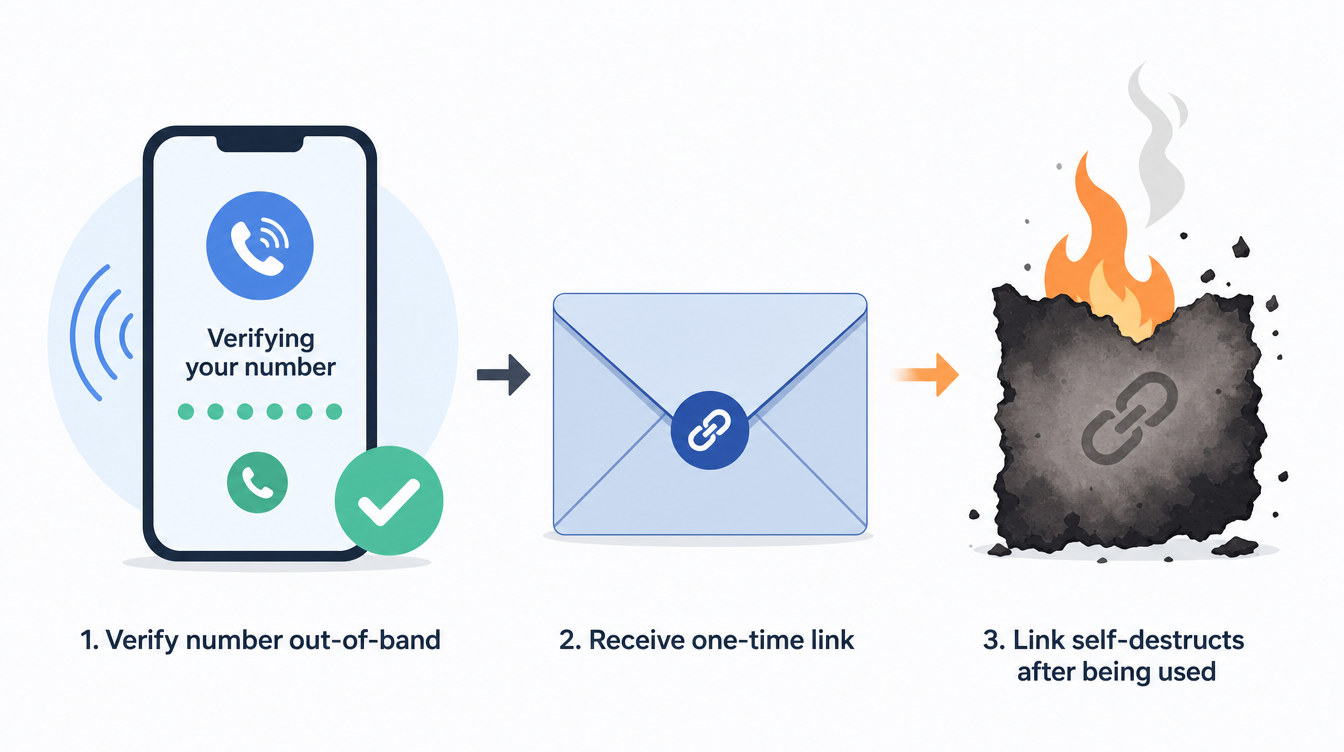
Don't paste bank or wire details into an email or chat message. Call a phone number you already have on file (never one from the email asking for the change) to confirm the instructions verbally, then deliver the actual numbers through a method that doesn't leave them sitting in a thread: a password manager's one-time share, or a link that burns after it's opened once. If you skip the callback, the delivery method doesn't matter much, because the fraud usually happens before the numbers are even sent.
Key takeaways
- Verify any new or changed wire instructions by phone, using a number from a prior invoice or the bank's public site. Never use a number or link from the email itself.
- Email and chat keep sensitive numbers in every inbox and backup they touch, indefinitely, by default.
- A password manager's secure share or a one-time link that burns after first read limits how long the number exists in cleartext anywhere.
- No method stops a legitimate recipient from screenshotting or retyping the number once they've seen it. The goal is shrinking the window. Risk never drops to zero.
- Larger teams should add dual control (separate preparer and approver) and keep a record of who approved any change to payment instructions.
Why is email risky for sending wire instructions?
A wire instruction sent by email doesn't stay in one place. It sits in the sender's Sent folder, the recipient's inbox, every CC, every backup, and any phone connected to either account, for as long as those accounts exist. If one of those accounts is compromised, the number is already exposed, with no way to know it happened.
This is also the exact entry point for business email compromise (BEC), where someone takes over or spoofs a legitimate email account to redirect a payment. The FBI's Internet Crime Complaint Center (IC3) reported cumulative BEC losses of more than $55 billion worldwide between October 2013 and December 2023, with U.S. victims alone losing over $20 billion in that period. Those figures come from its September 11, 2024 public service announcement and cover the whole period, so they aren't an annual total (FBI IC3, Business Email Compromise: The $55 Billion Scam). IC3 also flags look-alike domains (a hyperlink or sender address that's one character off from the real one) as a common tell.
Safer ways to send wire details
None of these require trusting a new vendor. Pick based on what you already have.
| Method | Who can read it | How long it persists | Effort |
|---|---|---|---|
| Phone callback to a known number | Only the two people on the call | Not recorded or stored anywhere | Low, but requires discipline every time |
| Password manager secure share (e.g., Bitwarden Send, 1Password Psst!) | Whoever opens the share link | Until the expiry you set; both tools default to a time-based window of several days unless you shorten it or cap it to a single view | Low if your organization already uses one |
| One-time self-destructing link | Whoever opens the link first | Minutes to about 24 hours, depending on the tool, destroyed the moment it's read | Low; the recipient needs no account |
| Secure client portal or upload page | Authenticated parties with portal access | Per your organization's retention policy; single-use isn't the default | Medium; requires setup and login credentials for the other party |
Sources for the mechanics above: Bitwarden Send and its expiration settings; 1Password Psst! and its sharing security details.
Step by step: verify and send wire instructions safely
- Get the instructions, or any change to existing ones, from an independent source. Call a number you already had on file, from a signed contract, a past invoice, or the bank's public site. Never use the number or reply address in the email making the request. CISA's current guidance is plain about it: if a message feels off, verify it without replying and without using any phone number or link in the message (CISA, Four Cybersecurity Essentials for Businesses, August 29, 2025).
- Treat any change to previously confirmed bank details as the main warning sign. A legitimate counterparty rarely changes wire details by email alone; confirm it out loud before acting.
- Deliver the actual numbers through a one-time channel, outside any thread. Use your password manager's share feature with a short expiry and a one-view limit if your team already has one. Or send the numbers as a one-time Spark through SparkVault (sparkvault.com). It's free, holds up to 256,000 bytes of text or a file, can be set to expire anywhere from 1 minute to 24 hours, and is destroyed the moment it's opened. Encryption is post-quantum-ready and Triple Zero-Trust by default, so SparkVault itself can't read what's inside. Send it as a one-time Spark, free.
- Tell the recipient what to expect. A short line like "You'll get a one-time link from me. It only opens once, so if it says 'no longer available' when you click it, call me before sending anything" prevents confusion and gives them a reason to double-check.
- Confirm receipt, then delete your draft. Once the recipient confirms they have the numbers, remove the plaintext version from your own sent items or notes.
What these methods don't protect against
None of this makes a wire transfer unhackable. A phone callback only works if the "known number" came from an independent source in the first place. If a fraudster supplied that number in an earlier, unverified message, the callback just confirms the fraud. Once a legitimate recipient has viewed the numbers, nothing stops them from screenshotting, retyping, or pasting them elsewhere. SparkVault is direct about this limit: burning a Spark destroys it inside SparkVault's system, but it doesn't erase a copy the recipient saves elsewhere (a screenshot, a note, or a paste into another document). Sending a one-time link to the wrong person by mistake is also still possible. These methods reduce exposure, and they can't catch human error at the point of sending.
For larger teams
Treasury and payments teams generally separate three roles so no single person can both create and release a wire: someone who prepares the payment, someone who approves it, and someone who releases it. This segregation-of-duties structure is described in bank treasury-management guidance and in the NCUA examiner's guide on wire transfer internal controls. It's standard practice and isn't a universal legal mandate, so apply it in proportion to your payment volume.
Nacha, which sets ACH network rules, has adopted new fraud-monitoring requirements that take effect June 19, 2026, requiring organizations that send ACH payments to have risk-based processes for spotting potentially fraudulent transactions (Nacha, New Fraud Compliance Responsibilities). Until then, treat callback verification and dual control as best practice (they aren't yet a binding requirement), and build the habit before the rule takes effect. Keep a simple record of who requested a change, who verified it by phone, and who approved it. A dated note or a shared log is enough for most small teams; larger organizations may want this tied into an approval workflow with a retained audit trail.
Frequently asked questions
Is it illegal to send bank details by email?
No. There's no law against it. The concern is risk: email and chat retain copies indefinitely across every account and device involved, which widens the exposure if any one of those accounts is compromised.
What do I do if I already emailed bank details to someone?
Call the recipient on a known number and confirm what was sent and whether the account is still correct. If the details were for an outgoing wire that hasn't cleared yet, contact your bank immediately. Banks have the best chance of recalling a wire in the first hours after it's sent.
How do I know if a wire instruction email is legitimate?
Don't rely on how the email looks. Check the sender's actual email address character by character, and verify any account or routing number change by phone using a number you already had. Never use one supplied in the message (FBI IC3, September 2024).
What's the difference between a one-time link and just deleting the email afterward?
Deleting an email doesn't remove copies in Sent folders, backups, or forwarded threads, and you're relying on remembering to do it every time. A one-time link self-destructs after the first open, so there's no leftover copy to forget about.
Does a password manager's secure share cost extra?
It depends on the product and plan; check current pricing on the vendor's own page before relying on it, since plans and limits change. If your team already pays for a password manager, the share option is usually included.
What should a small business without an IT department do?
Pick one method and use it every time: a phone callback to a known number, plus a one-time link or password manager share to deliver the actual numbers. Consistency matters more than which specific tool you choose.
Send your first Spark free at sparkvault.com/secret-sharing/.
Sources
- FBI IC3: Business Email Compromise: The $55 Billion Scam (PSA I-091124-PSA)
- CISA: Four Cybersecurity Essentials for Businesses
- Nacha: New Fraud Compliance Responsibilities for All Organizations Sending ACH Payments
- NCUA Examiner's Guide: Wire Transfer Internal Controls
- Bitwarden Send
- Bitwarden Send: Lifespan Settings
- 1Password: Psst! Item Sharing
- 1Password: Share Items Securely
- SparkVault: Secret Sharing
Last updated / checked on October 2025.
By the SparkVault Editorial Team.
fact-checked and edited by the SparkVault Editorial Team.