Secure Data Sharing Checklist: What to Check Before You Send Anything Sensitive
By the SparkVault Editorial Team
Before you send a client's ID photo, a W-2, a password, or a wire instruction, run a short check: confirm you're sending to the right person, confirm the data still needs to move at all, and pick a delivery method that doesn't outlive its purpose. A link that opens once and deletes itself afterward beats a permanent email attachment or an open cloud-drive link for anything sensitive, because it closes the exposure window the moment the recipient reads it.
Key takeaways
- Verify the recipient through a second channel before sending anything sensitive, especially if an account number changed or the request arrived unexpectedly.
- Match the method to the data. A credential belongs in a password manager's share feature or a one-time link, and never in a chat message or an email body.
- Pick the shortest expiration that still works for the recipient. Think minutes or hours, and avoid days or no expiry at all.
- Tell the recipient what to expect before they open the link, so a one-time view doesn't look like a scam.
- A one-time link can't stop someone from screenshotting or copying what they see once they open it. That part is still on the recipient.
Why is permanence the problem with email and chat?
Email attachments and chat messages aren't unsafe by default. The issue is how long they sit around: in your sent folder, the recipient's inbox, every backup of both, and anyone either of you forwards it to later. The Cybersecurity and Infrastructure Security Agency (CISA) advises small businesses to prioritize which data actually needs protecting (things like Social Security numbers, financial details, and other personally identifiable information) instead of treating every file the same way (CISA, "Encrypt Business Data," as of 2024). A document that needs protecting is exactly the kind that shouldn't live permanently in a channel built for permanence.
If you handle regulated records like W-2s or client financial statements, pair this checklist with our compliance notes on handling W-2 and other PII data, which cover the rules specific to that category.
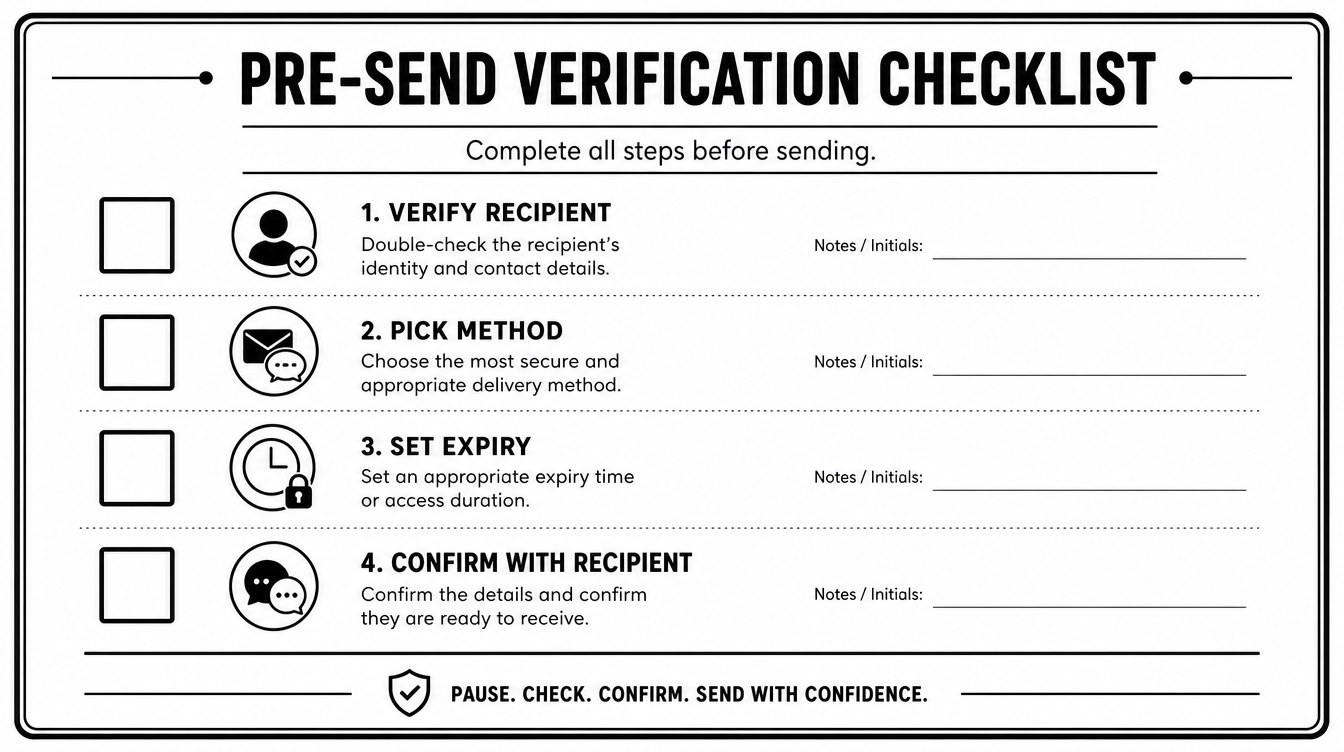
The 30-second pre-send checklist
Run through this before you click send. It works the same for attaching a file, pasting a credential, or sharing a link.
- I've confirmed this person is who they say they are, verified by phone or a known contact. A reply to the same email or message that asked for the data doesn't count.
- I've confirmed this data still needs to be sent, and the deal, application, or request it supports is still active.
- I've picked a method whose lifetime matches the need: minutes or hours for something sensitive, and never a permanent link or attachment.
- I've kept the credential (if any) out of the same message as the username or account it opens.
- I've told the recipient what to expect, so they don't mistake a one-time link for spam.
Safer ways to send it: a methods table
| Method | Who can read it | How long it persists | Effort |
|---|---|---|---|
| Email attachment (PDF/Word) | Anyone with inbox access, including backups and anyone it gets forwarded to | Indefinitely, unless manually deleted everywhere | Low |
| Cloud-drive link set to "anyone with the link" | Anyone who gets the link, forwarded or not | Until you manually revoke it | Low |
| Cloud-drive link restricted to named people | Only the people you add, as long as their account stays active | Until you remove access | Medium |
| Password manager secure share | Only the recipient, inside their password manager | Varies by tool; often until manually revoked | Medium; recipient needs a compatible app or account |
| One-time link that burns on first read | Only the first person who opens it | Minutes to 24 hours, then gone whether read or not | Low once set up |
| Phone call or read-aloud | Only the person on the call, no written record | Not stored anywhere | Low effort, needs a live call |
Which method fits which kind of data
| Data type | Safer method | Why |
|---|---|---|
| Short document or form (W-2, ID photo, a few pages) | One-time link holding the file | Set the expiry just long enough for same-day pickup; it disappears whether or not it's read |
| Single password or API key | Password manager secure share, or a one-time text link | Never send a password and the username or account it opens in the same channel |
| Link to a large file stored elsewhere | One-time link that holds the URL instead of the file itself | Keeps the destination link from sitting unprotected in an inbox |
| Bank or wire instructions | Phone verification of the account number first, then a one-time link for the written confirmation | Verify any changed instructions by calling a number you already had on file. Never use one from the new message |
Step by step: sending something as a one-time link
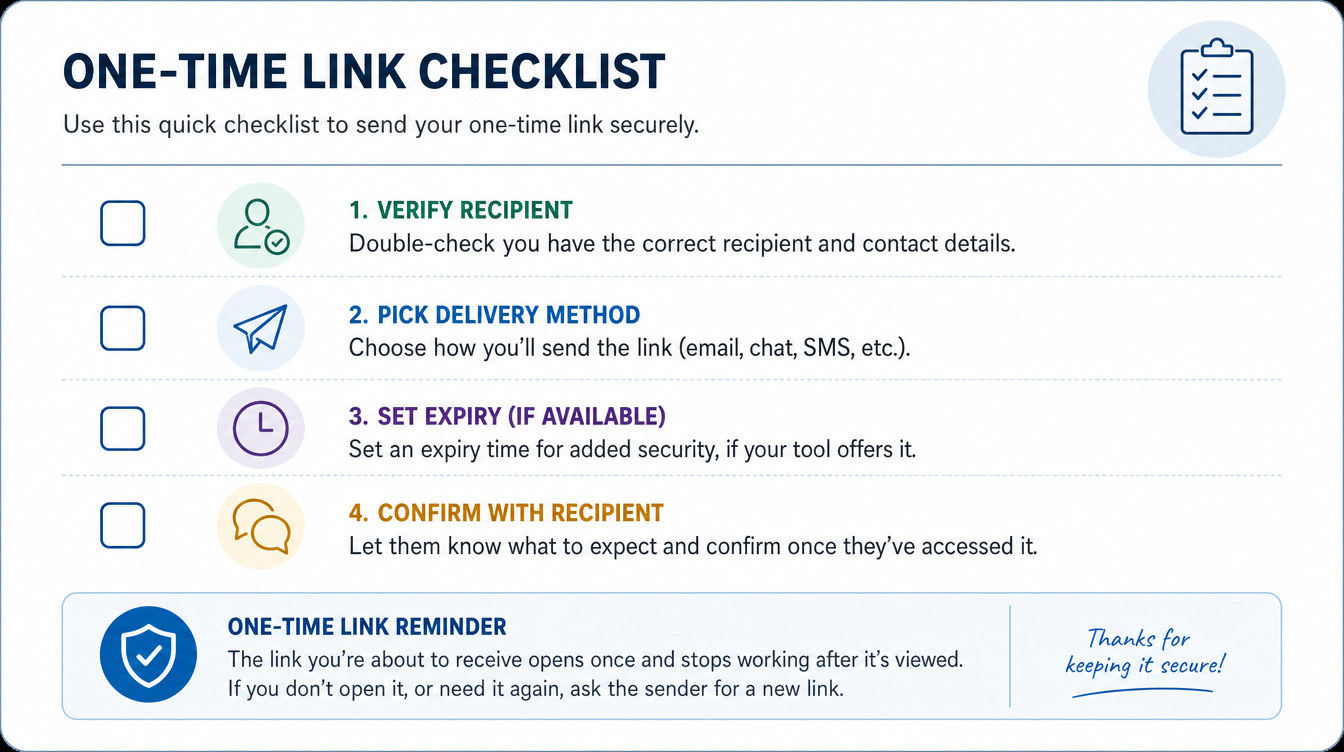
- Open whatever tool generates the link, such as your password manager's sharing feature or a one-time-secret tool.
- Paste the text or attach the file, then set the shortest expiration that still gives the recipient a realistic window. An hour covers most same-day exchanges.
- Send the link itself through your normal channel. The sensitive content isn't in that message, only the link is.
- Confirm with the recipient once they've opened it, using the script below.
What to tell your recipient
A link that disappears after one view can look like a phishing attempt if the recipient isn't expecting it. Say something like this before or alongside the link:
"I'm sending this as a one-time link instead of an attachment. It opens once, and after you view it the link stops working. Open it on a device where you can read it fully, since you won't be able to go back to it."
What this checklist doesn't cover
A one-time link closes the window on your end. It deletes itself from storage after the first view, so a second visitor finds nothing. It doesn't stop the recipient from taking a screenshot, copying the text somewhere else, or pasting it into another tool once they've opened it. That part is outside any sender's control, which is why the shortest-lifetime method and the right recipient count for more than the delivery mechanism alone.
For larger teams: turning this into a written policy
A checklist works for one person's desk. A team needs it written down with a few additions:
- Policy wording: state which data types require a one-time link or restricted share versus a standard attachment, matching the table above.
- Admin controls: if your tool supports account-level settings, set a maximum default expiration so individual staff can't leave links open indefinitely.
- Exceptions and sign-off: define who can approve sending something a longer-lived way (a large file to a long-term partner, for example) and require that approval in writing.
- Audit trail: keep a record of who sent what sensitive data type and when, even if the content itself is never retained.
- Review cadence: revisit the policy at least yearly, or after any incident involving a misdirected send.
CISA's broader small-business guidance recommends prioritizing protection by data sensitivity instead of applying one rule everywhere (CISA, "Encrypt Business Data," as of 2024). The same principle drives the data-type table above, and it scales reasonably well into a short written policy. For a fuller look at setting up these controls, see our pillar guide to protecting sensitive business data.
FAQ
Is it ever okay to just email a sensitive document?
Yes, in some cases. Email isn't unsafe by definition, and CISA's own guidance focuses on prioritizing which data needs stronger protection. It doesn't ban any one channel. The concern is permanence: an attachment sits in every inbox and backup indefinitely, which is a longer exposure window than most sensitive documents need.
How do I verify someone is really who they say they are before I send something?
Contact them through a channel you already trust, like a phone number you had on file (never one included in the request), before sending anything or acting on changed instructions. The FBI's Internet Crime Complaint Center (IC3) recommends exactly this for business email compromise: verify requests, especially changed account details, through a secondary channel (FBI IC3, "Business Email Compromise"). CISA's phishing guidance gives the same advice for unexpected or urgent requests.
What if I already sent something to the wrong person?
Revoke access immediately if the method allows it, tell both the recipient and the intended party what happened, and document the error. That's a different situation with its own first steps (see our guide on what to do if you sent sensitive data to the wrong person), so treat this checklist as prevention. It isn't a response plan.
Does a one-time link stop someone from screenshotting it?
No. A one-time link deletes the content from storage after the first view, so nobody can open that same link again, but it has no control over what the recipient does with what's on their screen in that moment. A screenshot, a copy-paste, or a forward to another app all happen outside the link entirely.
How short should the expiration be?
Shorter than feels necessary, if you can manage it. There's no single industry-standard number, but the practical rule is to estimate how long the recipient actually needs to open the link and set the expiration close to that. Often an hour is enough for a same-day exchange, with a day or less covering most other cases. Our guide to choosing a one-time link's expiration walks through more examples.
If you need to send something like this today, send it as a one-time Spark, free.
Sources
- CISA, "Encrypt Business Data"
- CISA, "Avoiding Social Engineering and Phishing Attacks"
- FBI IC3, "Business Email Compromise"
- SparkVault, Secret Sharing product page
Last updated / Checked on April 2026.
fact-checked and edited by the SparkVault editorial team.